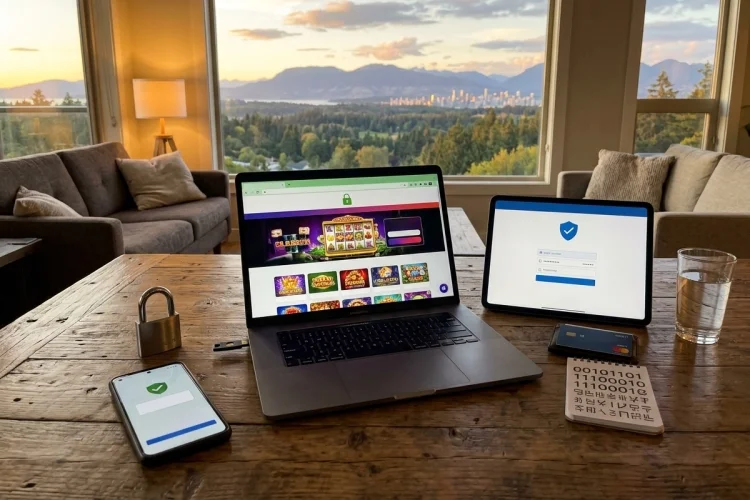
Casino accounts are commonly accessed through smartphones, laptops, and tablets. That convenience also means your security depends on more than the password protecting the casino profile. The device, browser, network, and website you use all matter.
To keep your Online Casino Account Secure, you need to recognise fake websites, install software updates, protect payment information, and avoid logging in through suspicious messages. A secure account can still be exposed when it is opened on an infected or poorly protected device.
The following habits can help you build a safer environment whenever you register, deposit, play, or withdraw online.
Confirm That the Website Is Genuine
A fake casino website may copy the logo, colours, and layout of a recognised operator. The domain name might differ by only one letter or contain an unexpected word.
Type the official address yourself or use a trusted bookmark. Do not rely on links in unsolicited advertisements, direct messages, or emails.
You should also verify the operator’s licence through the regulator’s official register. The UK Gambling Commission requires its licensed businesses to display their licensing status and link to the public register.
Watch for Phishing Messages
Phishing messages try to persuade you to reveal login credentials, payment information, or verification codes. They may claim that you won a bonus, that a withdrawal failed, or that your account will be suspended.
Check Before You Click
Look for spelling mistakes, strange sender addresses, shortened links, and unexpected attachments. However, remember that a professional-looking message can still be fraudulent.
The FTC recommends contacting the business through a telephone number, email address, or website you already know is genuine instead of using the contact information inside a suspicious message.
Keep Your Device Updated
Install updates for your operating system, browser, casino app, antivirus software, and other important applications.
Updates often repair security weaknesses that criminals may attempt to exploit. CISA recommends enabling automatic updates so devices receive current security patches without unnecessary delays.
Only install casino apps through the operator’s verified website or an official application store. Avoid modified apps and installation files shared through forums or messaging groups.
Protect the Device Itself
Use a PIN, password, fingerprint, or face recognition to lock your phone or computer. Configure the device to lock automatically after a short period of inactivity.
Do not leave an unlocked device unattended while your casino account is open. Anyone who picks it up may be able to access the balance, personal details, or saved payment methods.
Avoid allowing browsers to save casino passwords on shared devices. A password manager protected by MFA is a safer approach for your personal devices.
Be Careful on Public Networks
Public Wi-Fi can be convenient, but fake hotspots may use names that resemble those of hotels, cafés, or airports.
Avoid making deposits, withdrawals, or profile changes when you are unsure who operates the network. Using your mobile connection or waiting for a trusted network can reduce unnecessary exposure.
The FTC recommends keeping security software, operating systems, and browsers updated and using strong passwords and two-factor authentication when accessing accounts online.
Protect Your Payment Information
Check the payment amount and recipient before confirming a deposit. Never send money to a personal bank account, cryptocurrency address, or digital wallet simply because someone in a chat claims it belongs to the casino.
A legitimate cashier should explain available methods, charges, limits, and transaction status through the official account interface.
PCI DSS provides technical and operational requirements designed to protect payment account data where it is stored, processed, or transmitted.
Still, industry standards do not replace your own caution. Do not store unnecessary payment details or share card images through unverified channels.
Keep Verification Documents Private
Regulated casinos may request documents to confirm identity, age, address, or ownership of a payment method. Upload them only through the platform’s official verification portal or another confirmed secure channel.
Do not post identification documents in public chats or send them to social media accounts claiming to represent support.
Before uploading anything, check which document is required and whether sensitive details may be covered. Follow the operator’s official instructions rather than guessing.
Keeping your Online Casino Account Secure requires a protected device and a genuine platform. Confirm the website address and licence, avoid links from suspicious messages, and install operating-system, browser, and app updates promptly.
Lock your device, avoid sensitive transactions on unfamiliar networks, and submit verification documents only through official channels. Payment information should never be sent to personal accounts or shared through informal chat services.
Before your next login, bookmark the verified casino website, enable automatic software updates, and review the payment methods saved to your profile. Use regulated services and never deposit more than your planned entertainment budget.